
The coachthat showsits work.
STRIATE gives every set a target, counts your hard sets for every muscle, and reads your recovery from your phone. When it changes your plan, it says why, and one tap undoes it.
Free during the beta. For lifters 18 and over.
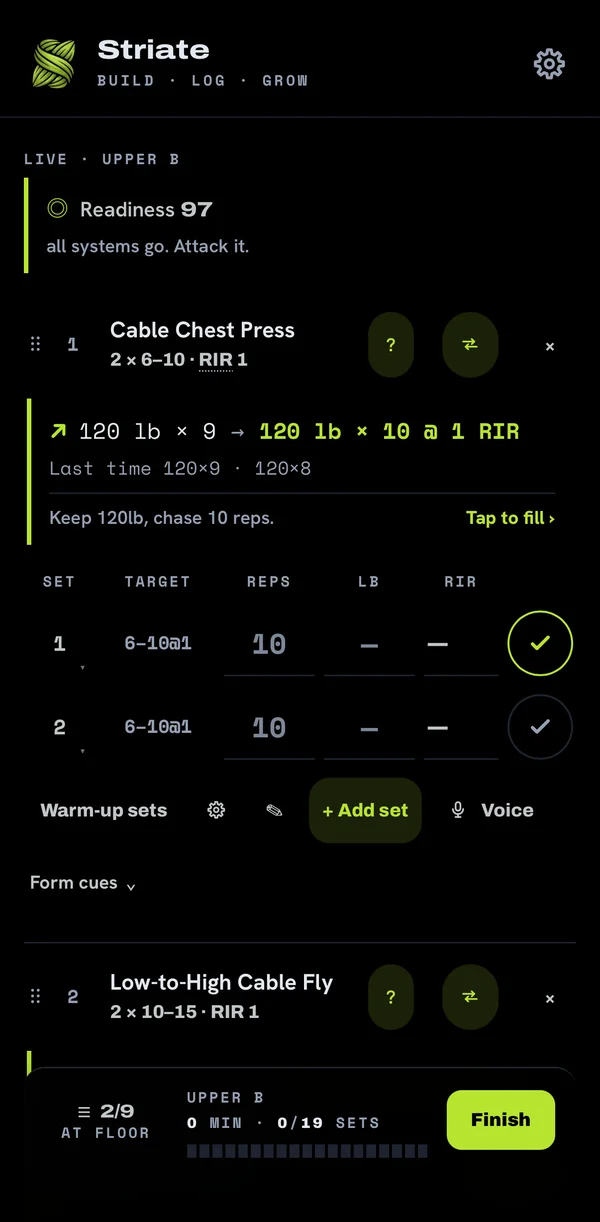
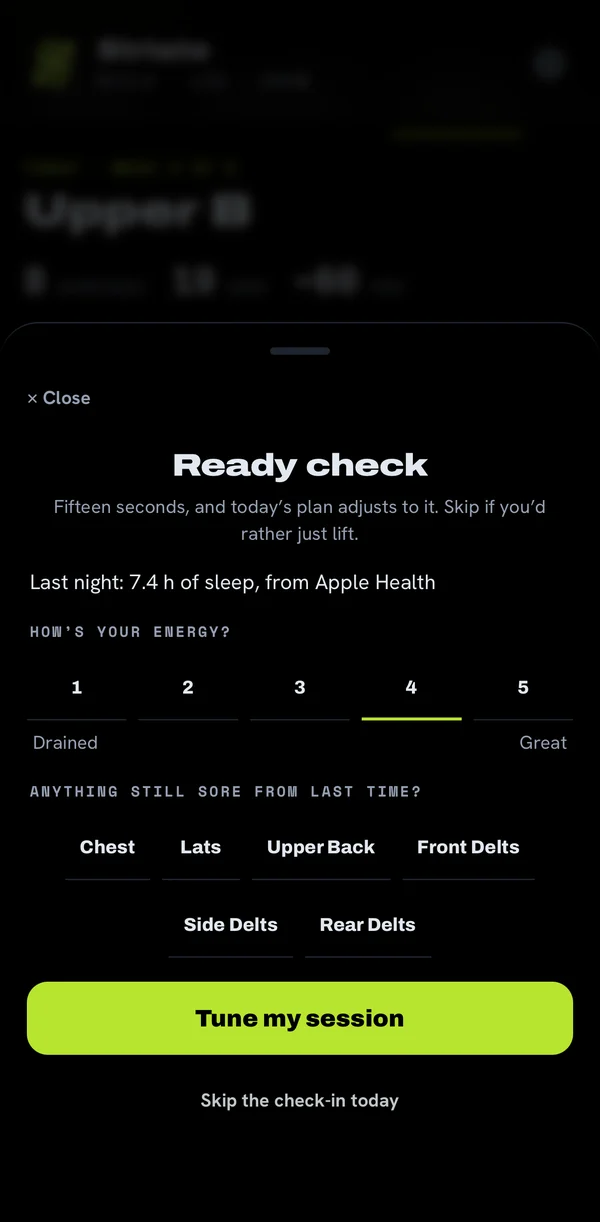
Readiness 97From your sleep, recovery and a 15-second check-in.
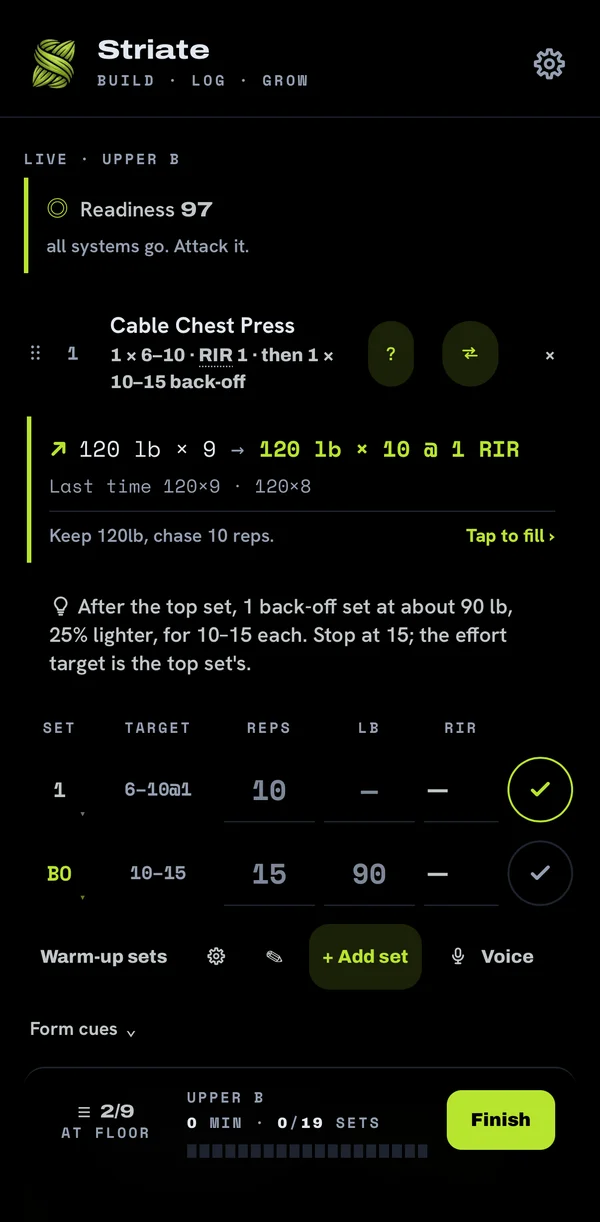
120 lb × 10 @ 1 RIRThe target for this set: last time's load, one more rep.
6–10 @ 1This lift's rep range, and an effort set by the kind of lift it is.
October 22, 2026 In the current beta build
New this build.
More than one gym, picked by location
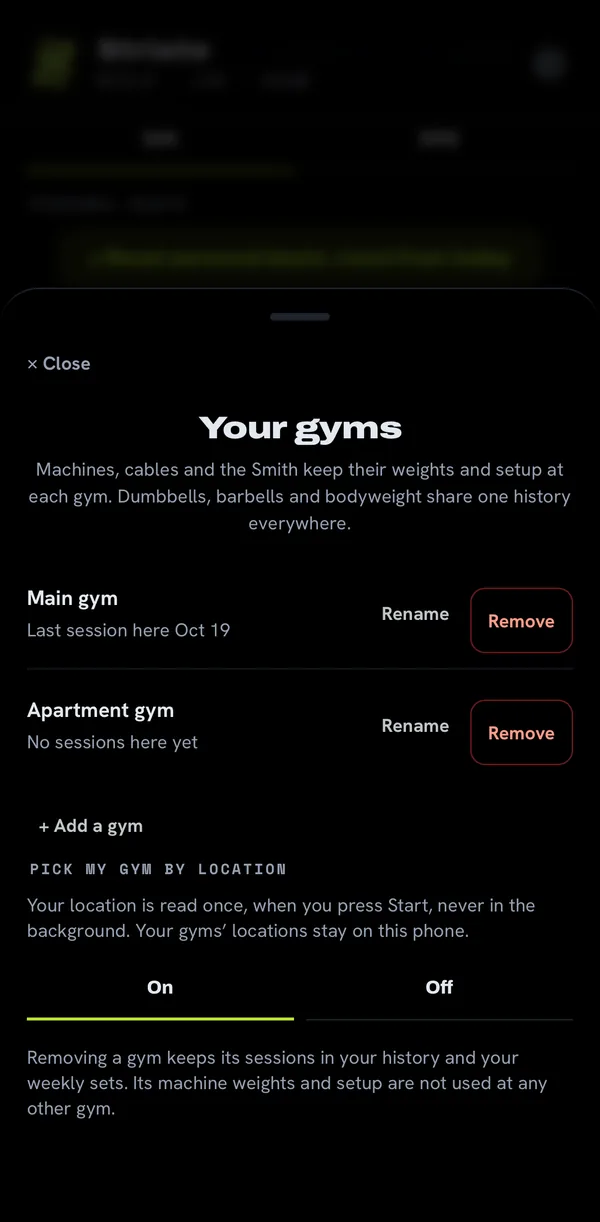
Add your gyms in Settings, under Your gyms. Machines and cables keep their weights and setup per gym. Turn on Pick my gym by location and Start picks the gym you're at; your location stays on your phone.
Today's meals
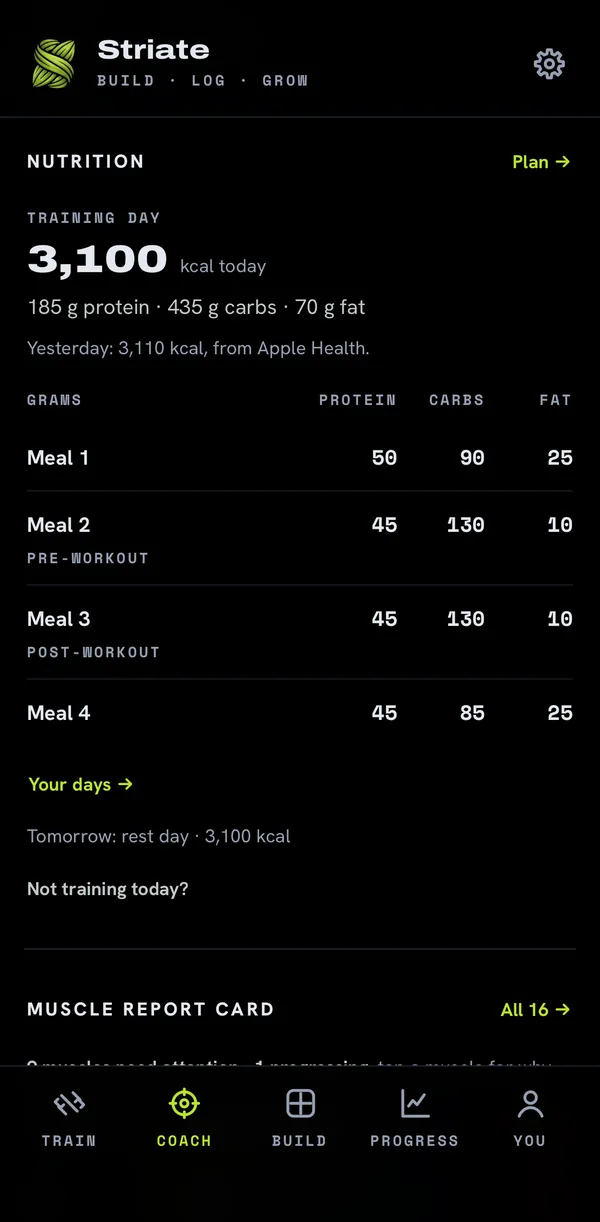
Coach, then Nutrition: today's calories and meals, with more carbs around your training. Plan sets your meals and carb cycling.
Widgets on iPhone
This week's hard sets, your next workout and your training streak, on your home screen. Android already has them.
Your body data, put to work.
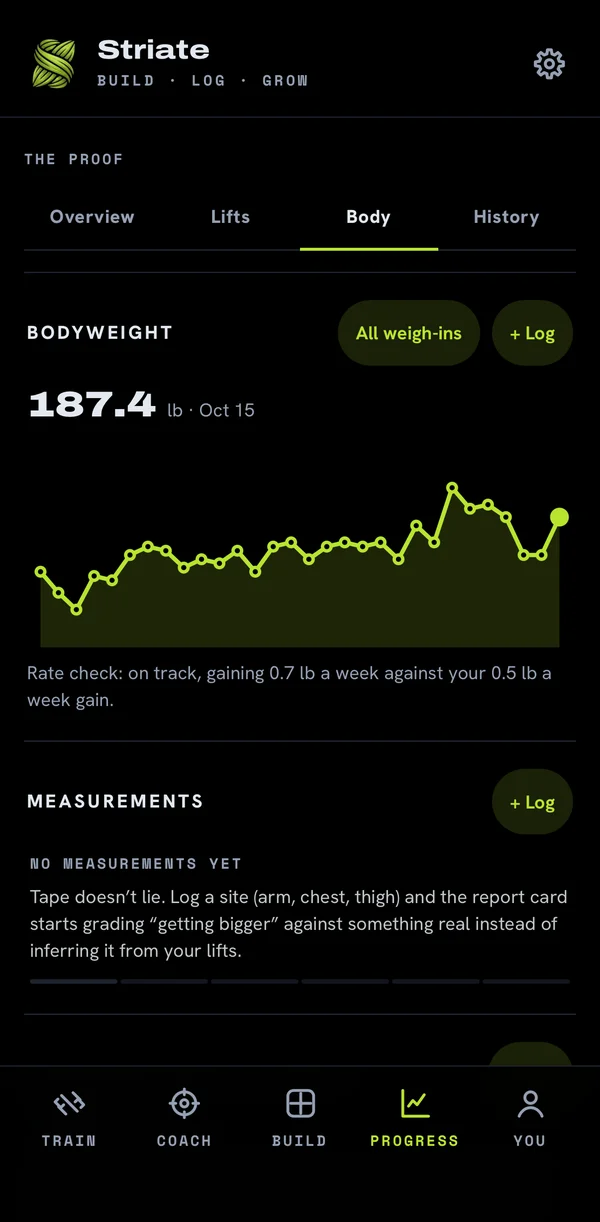
STRIATE reads your weigh-ins, steps and calories from your phone's health app, and the coach checks your rate of change every week.
Weigh-ins, steps and calories
From Apple Health or Health Connect, only if you allow them. A smart scale's weigh-in lands on your bodyweight chart by itself, marked with the app it came from. Steps and the calories you log come in as one total a day.
A weekly rate check
Set the rate you want to gain or lose at. After a few weeks of weigh-ins it says whether you're on track. If a cut stalls, it says what to change first: more steps, then easy cycling, then eating a little less. With 14 days of logged calories, it names a daily target.
Nutrition as a pie
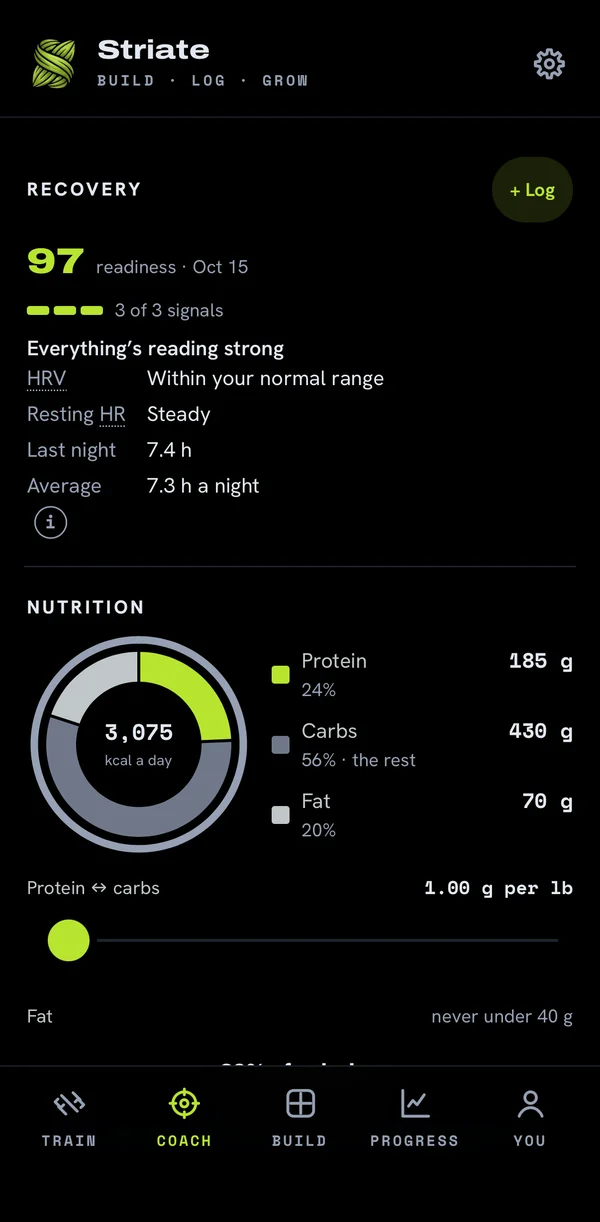
Your day's calories, split: slide protein, step fat, and carbs take the rest. No calories logged? It estimates from your weight. Guidance, not a food log: there is nothing to track.
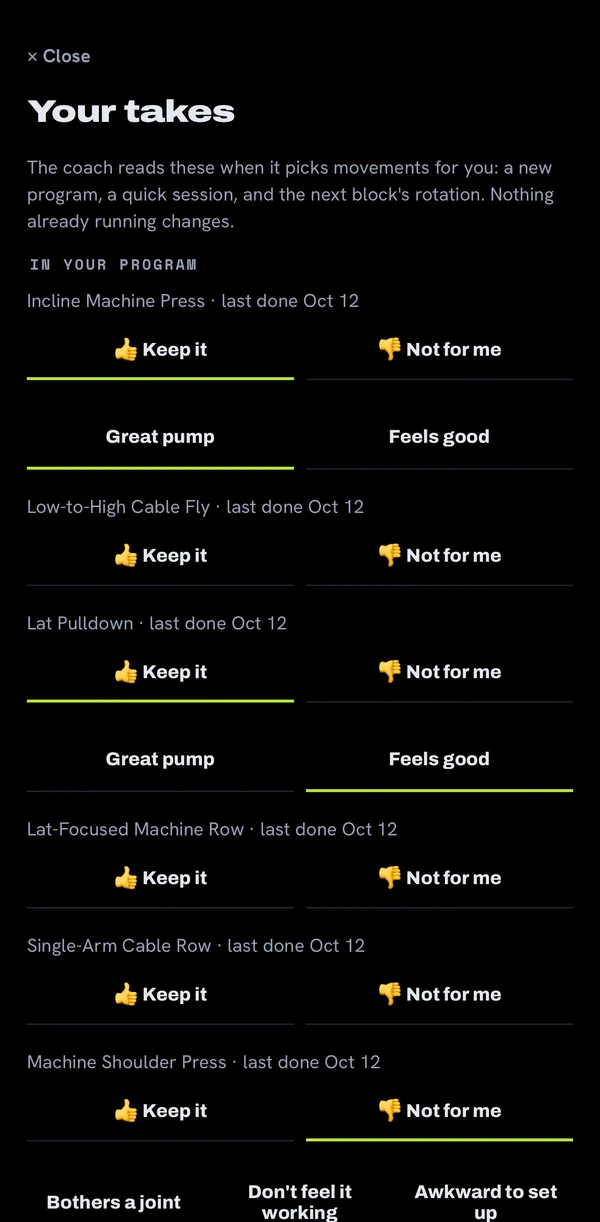
Your takes
Mark any movement Keep it or Not for me. The coach reads your takes the next time it picks movements, and leaves out the ones you don't like unless nothing else trains that muscle.
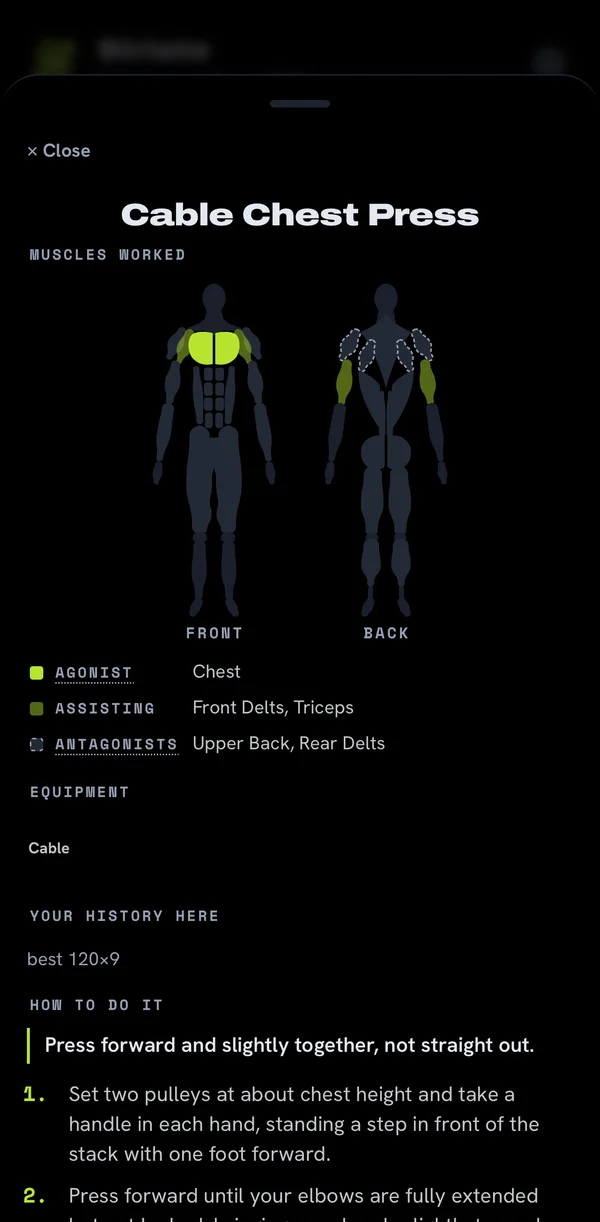
The muscle map
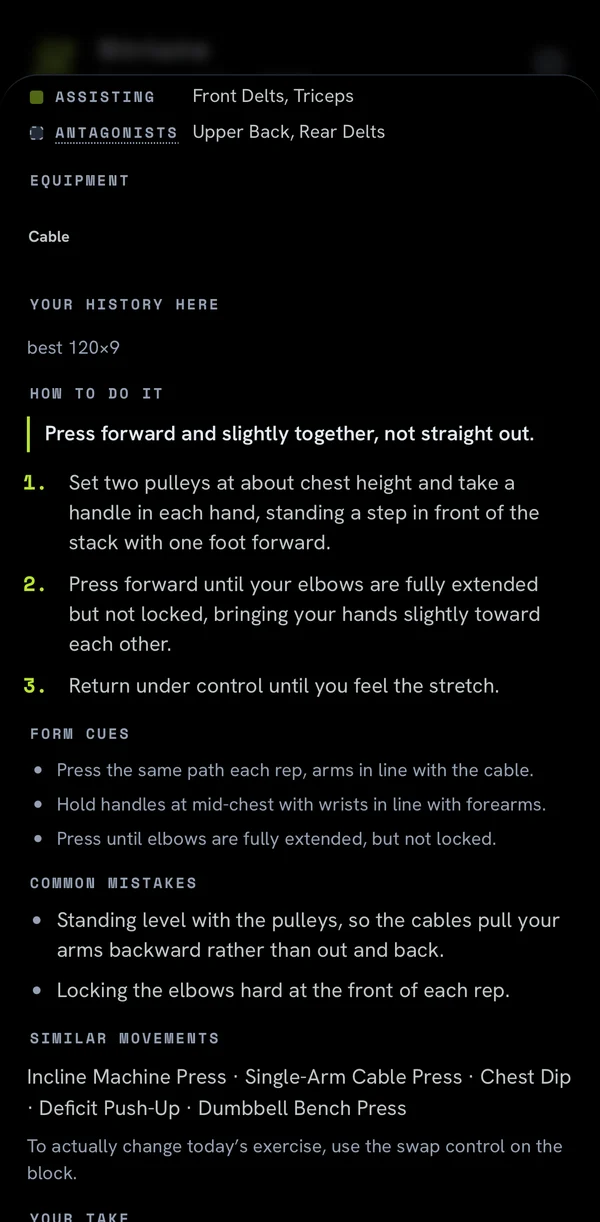
Tap ? on any exercise mid-workout to see what it trains, drawn on a body, front and back.
Training reminders
Opt in once. It reminds you an hour before you usually train, on the days you usually train, and skips a day you already trained.
A Hormones setting
Standard or Supraphysiological. It tunes the gain rate the coach suggests and how high your weekly volume may climb. It stays on your phone.
Every set has a target.
Each lift gets a target from your last session: the reps, the load, and how many reps to leave in the tank. Hit the top of the range at the right effort and the load goes up.
Logging is reps, weight, and a tap on the RIR chip. It works offline and syncs when you're back.
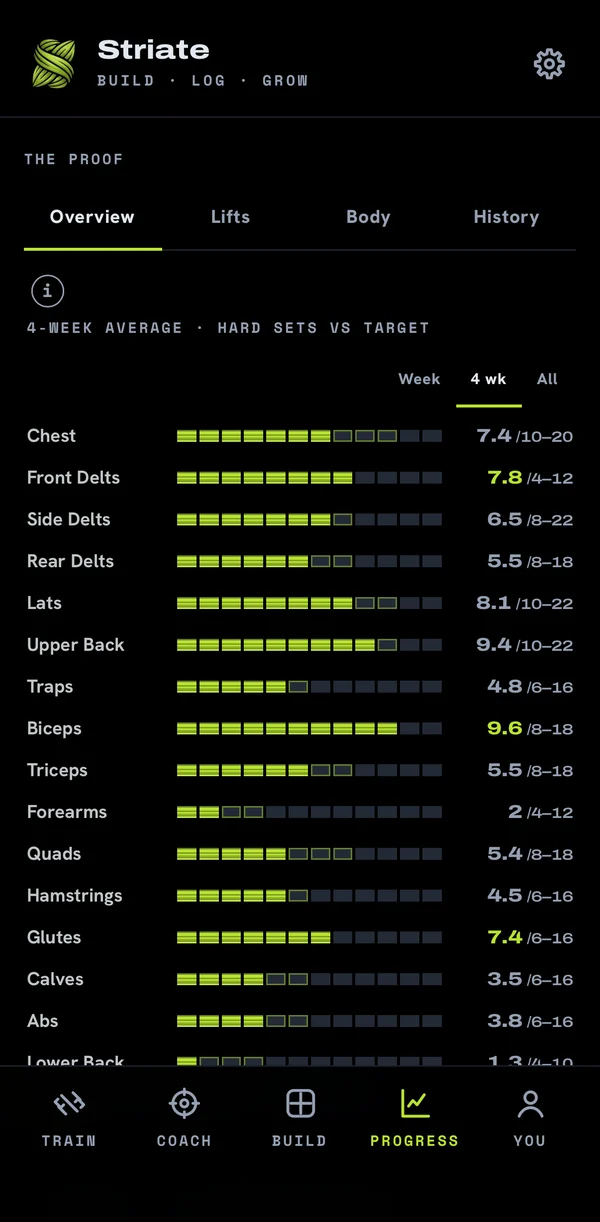
Volume you can count.
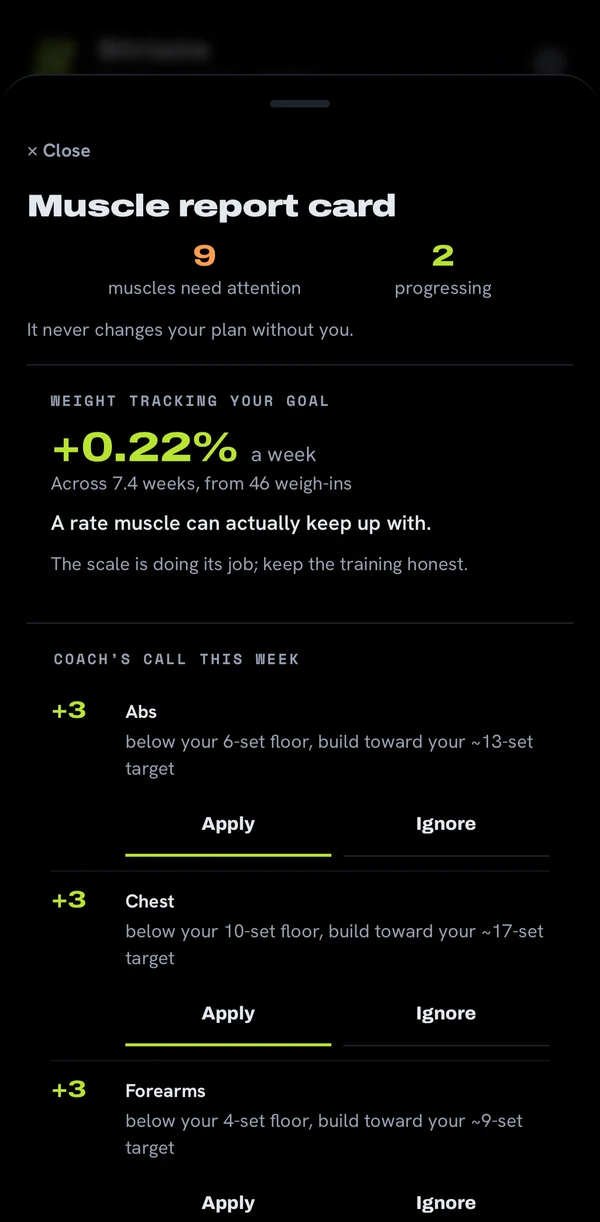
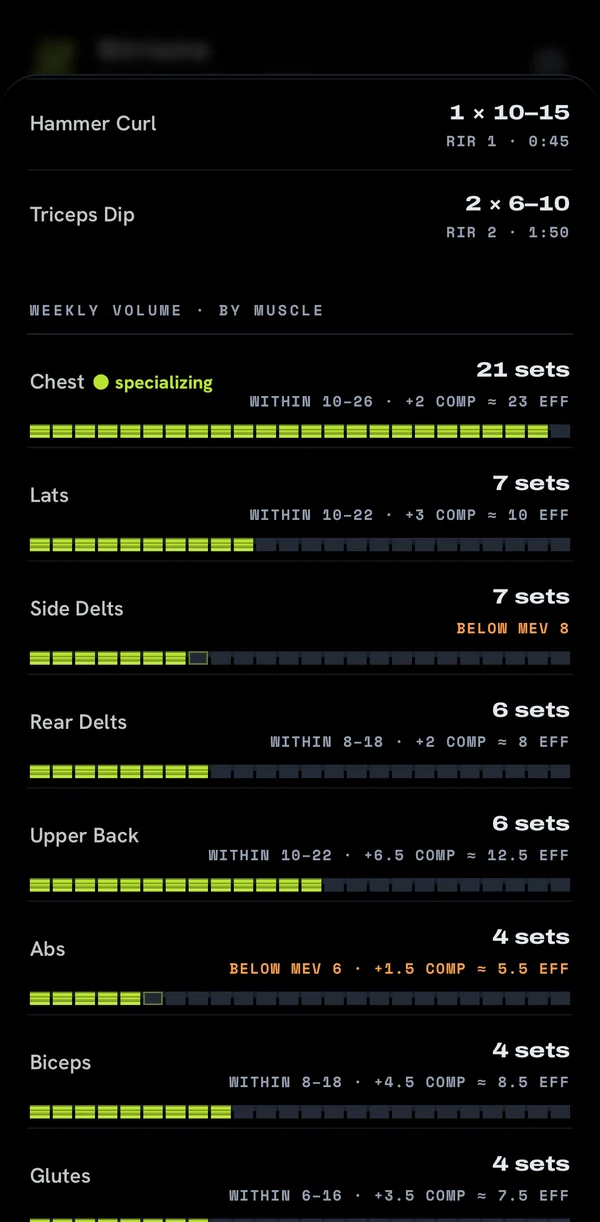
Hard sets per muscle each week, against your own target range: under, in range, or over, as bars you can count. Your big lifts credit the muscles they work indirectly, at half a set each.
Recovery from your phone. Deloads from your data.
Sleep, resting heart rate and HRV come in from Apple Health or Health Connect, with HRV where your watch shares it. No watch? A 15-second check-in does the job.
When soreness, stalled lifts and low readiness stack up, the coach calls a deload week: half the sets, the same weight, about two fewer reps. You can undo it with one tap.
It shows its work.
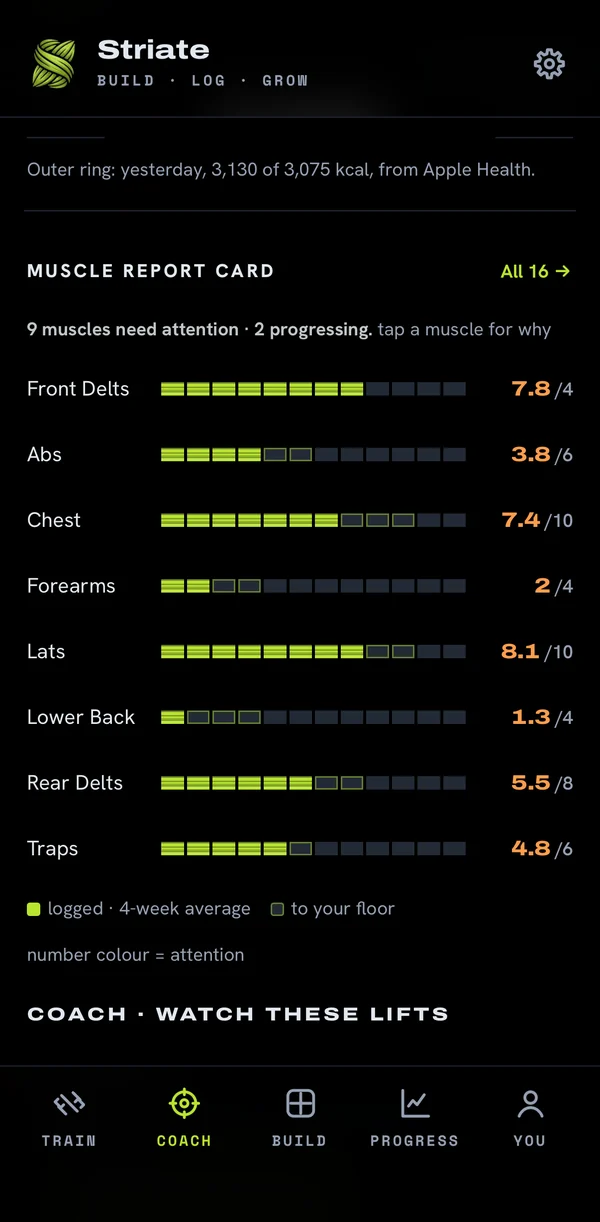
Each week it makes a call for every muscle, with the evidence right below it. Nothing changes until you apply it, and every change goes in Coach's notes: what, why and when, with an undo. You decide how much it may change on its own.
No chatbot and no black box. Its calls come from your own sets and your recovery, and the reasoning is written down where you can read it.
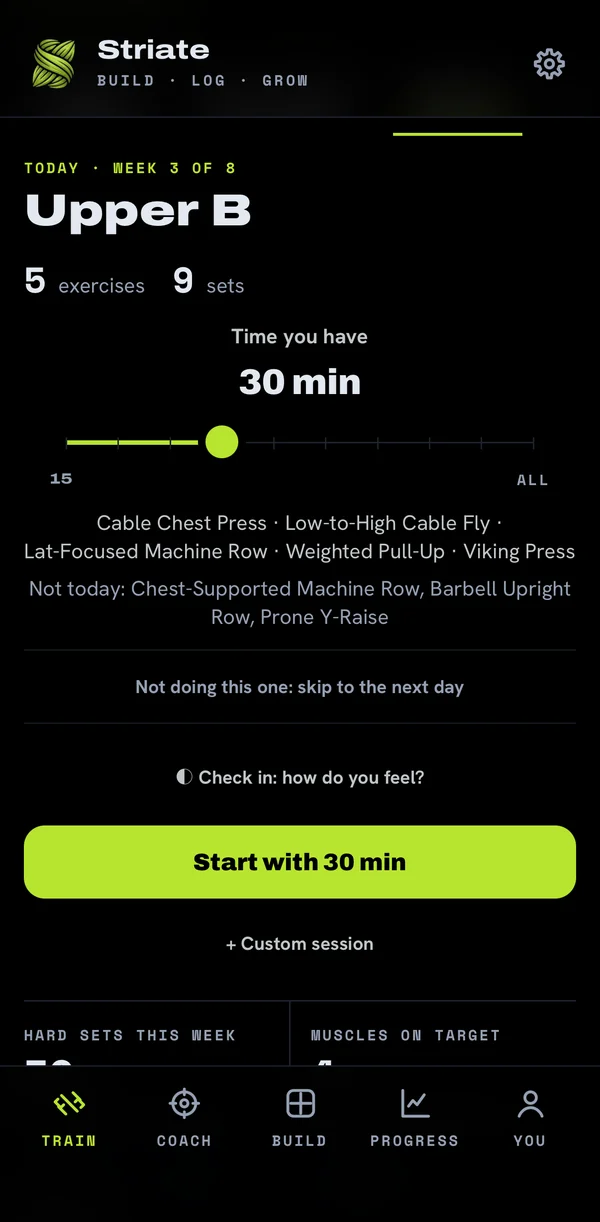
Built around the week you actually have.
- It builds your program
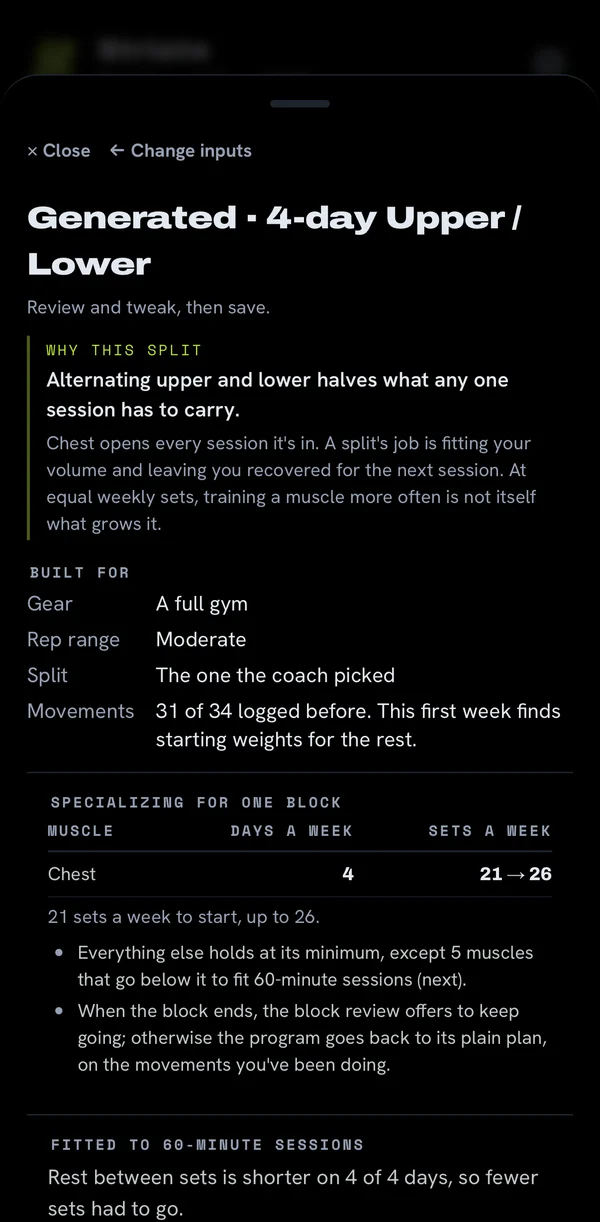
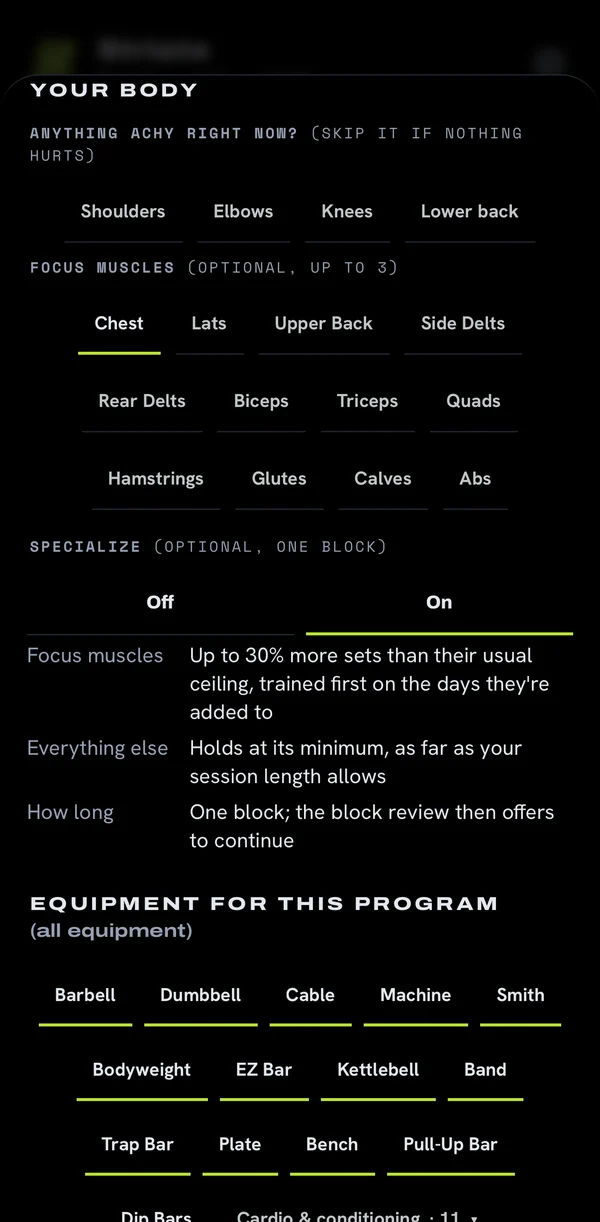
- Pick your days and how long you have, where you train, anything that aches, and how you like to train. It drafts the plan around lifts you already know. Nothing changes until you save it.
- Short on time
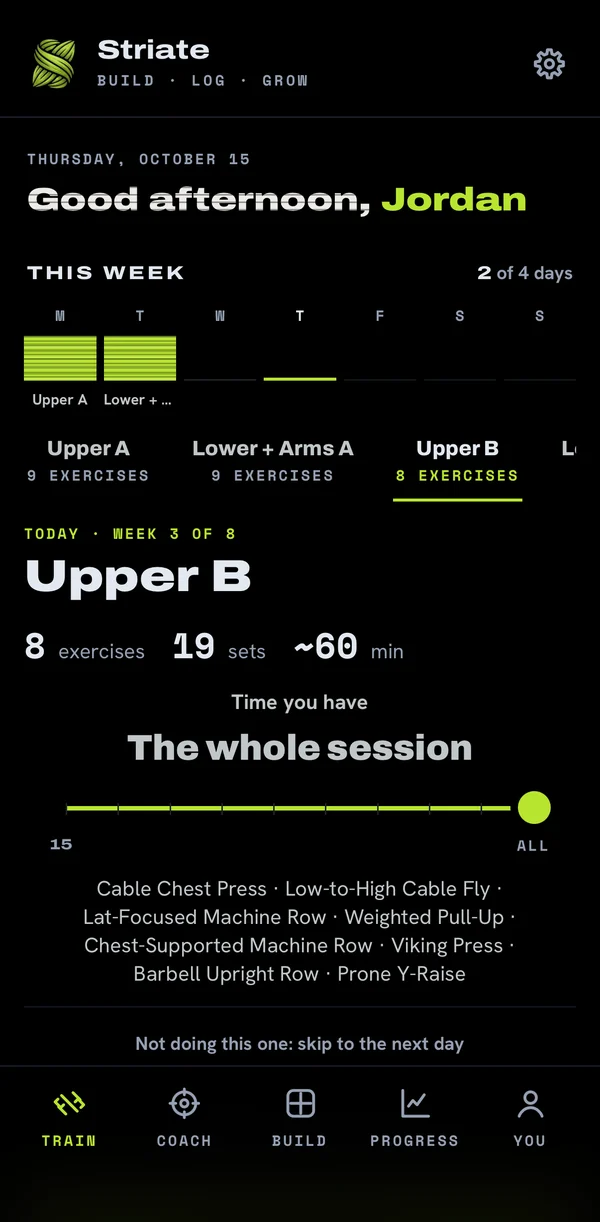
- Say how long you've got and it builds a session that fits. It still counts toward your weekly volume and your PRs.
- Cranky joints
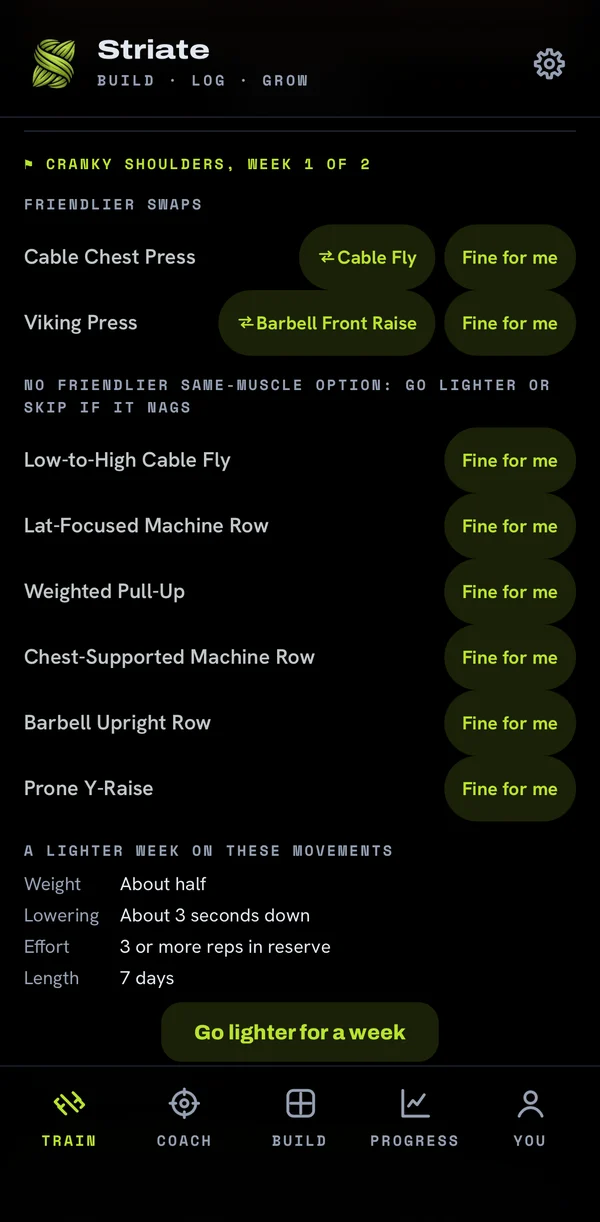
- Log a tweak and it flags the movements that load that area, with a friendlier swap for the same muscle. Nothing is swapped without you.
- Circuits and cardio
- Run a circuit on a station timer, or log a ride or a run, from the Train tab.
Real screens.
From the current beta build, on a demo account. Swipe through.
Also in the box.
What it won't do.
STRIATE collects what the app needs to work: your account and the training data you give it. Your health data is read only with your permission and is never sold.
The details are in the Privacy Policy and the Terms of Service.
Join the beta.
The beta is free. The free-for-life spots went to the first wave. Everyone who joins the beta now gets a 30-day free trial when STRIATE launches. Your feedback goes straight to the developer and into the next build.
The iPhone beta runs on Apple's TestFlight. Open the link on your iPhone, install TestFlight if it asks, then tap Accept and Install.
Open to the first 100 testers. You'll confirm you're 18 or over when you create your account.
Google Play lets beta testers in by email. Enter the email of the Google account on your phone and we'll send your Play link, usually within a day.
We use this address only to add you to the beta and send the link. You'll confirm you're 18 or over when you create your account.